Data Provenance Now Available in the DTC Ice Sheets Query API
Published: 2026-10-23
Every result produced by the DTC Ice Sheets system now comes with a full record of how it was generated!
When you run a workflow through the DTC Ice Sheets system, your result is the product of a chain of steps: data is downloaded from its source, processed by one or more modules, and passed from one module to the next. Data provenance records this chain, so you can see exactly which data and which versions of which modules produced a given output, making DTC Ice Sheets results fully traceable.
Getting the data provenance of a job
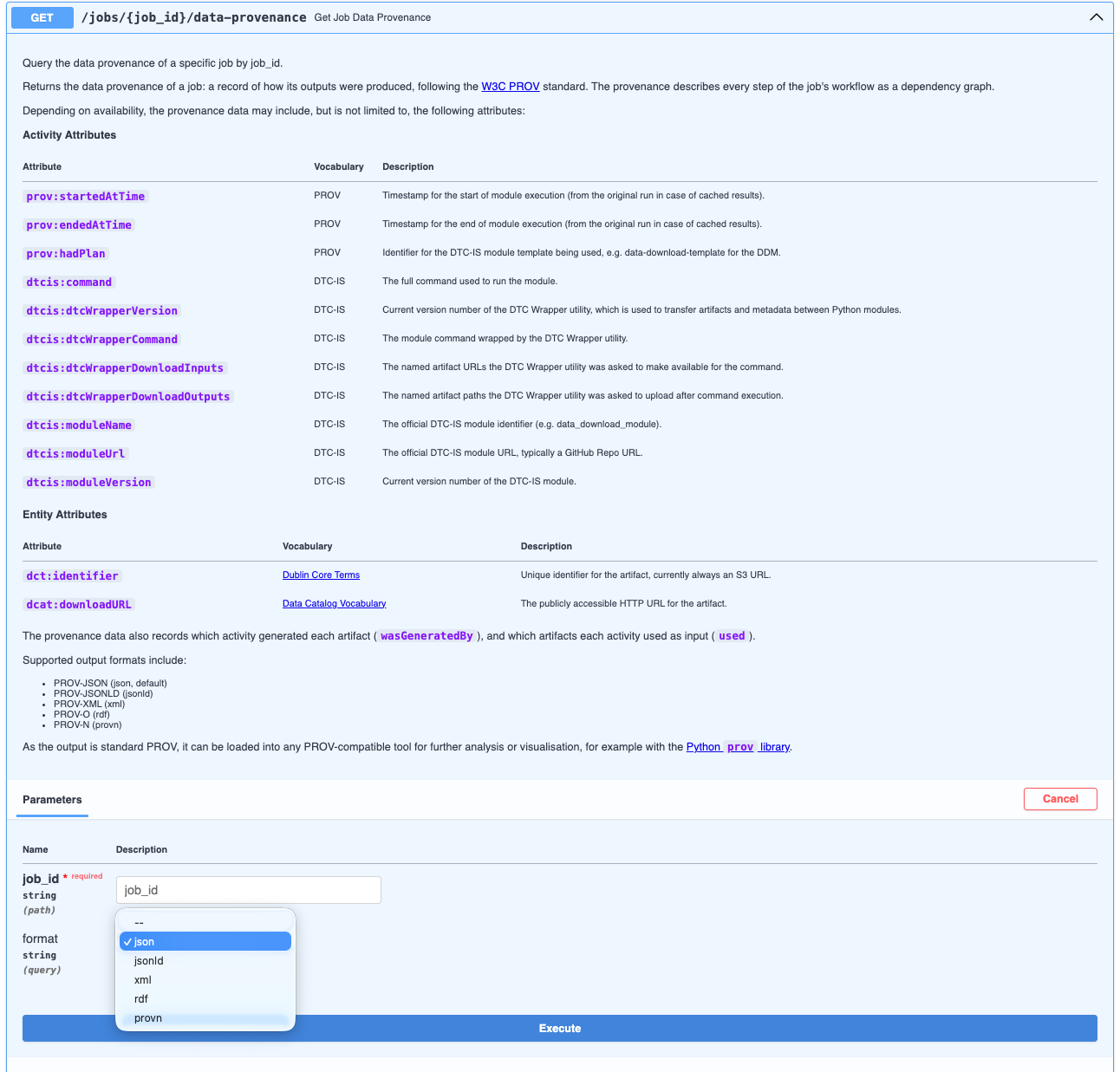
A new Query API endpoint, GET /jobs/{job_id}/data-provenance, returns the data provenance for any job, given its job ID. You receive a job ID whenever you start a workflow through the Query API. If you haven't used the Query API before, see our guide to getting started.
The data provenance follows the W3C PROV standard, so it can be loaded into any PROV-compatible tool for further analysis or visualisation, for example with the Python prov library. It is available in five formats: PROV-JSON (the default), PROV-JSONLD, PROV-XML, PROV-O (RDF) and PROV-N.
What it contains
For each step of the workflow, the data provenance records when the module ran, which module and version was used (with a link to its code on GitHub), and the exact command it was run with. For each piece of data, it records a unique identifier and a public download URL.
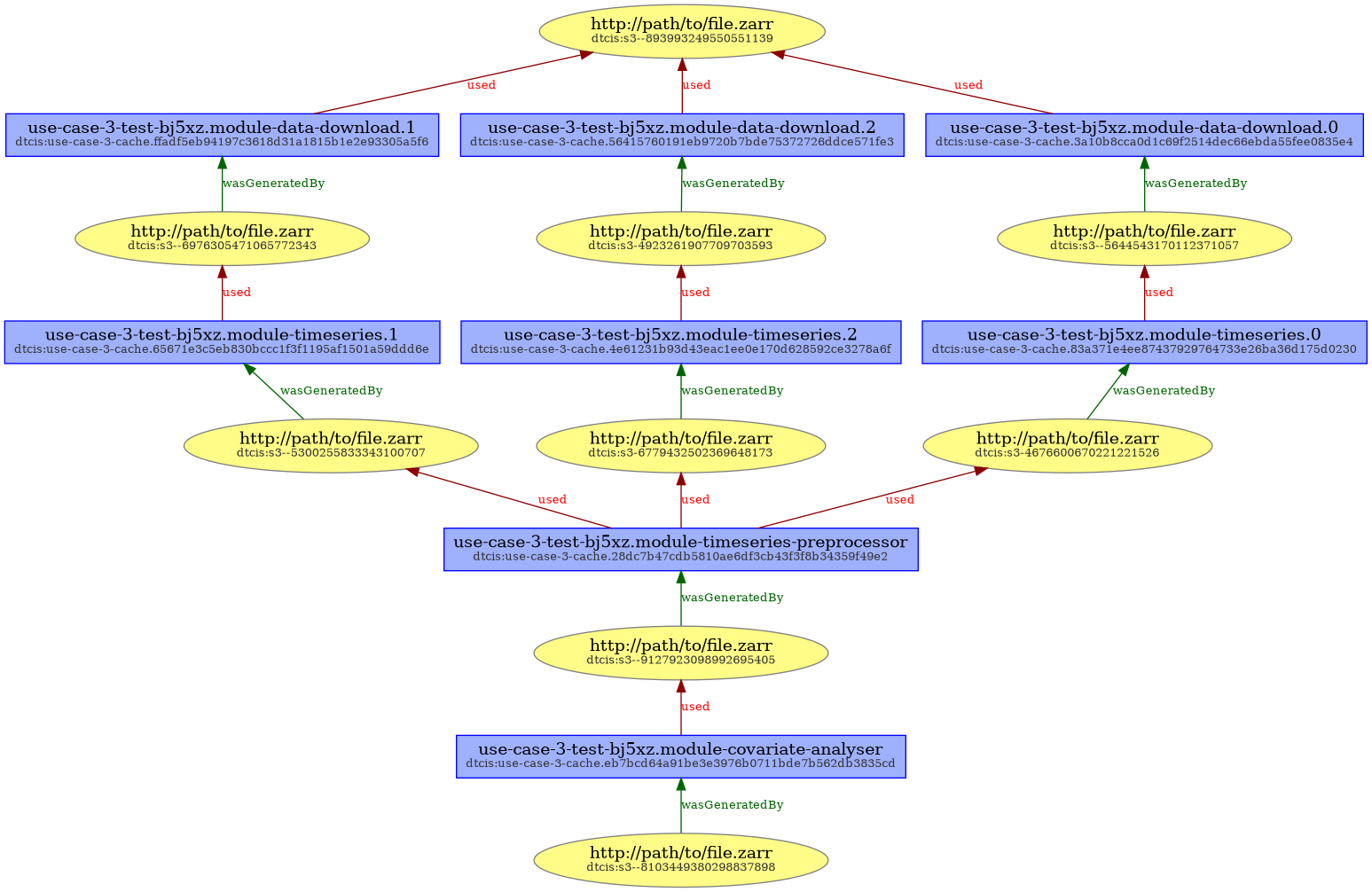
It also records which step produced each piece of data, and which data each step used as input. Together, these form a dependency graph that shows in detail how data flowed through the system to produce the final output. The example below comes from an ice shelf covariate analysis: three datasets are downloaded and each turned into a time series, the three time series are aligned, and the covariate analyser then looks for relationships between them.
For now, the data provenance is available through the Query API. In the future, we plan to also bring it to the dashboard, whether by showing you the job ID of each workflow you run, or by letting you explore its data provenance right there in the dashboard!